Pinter and Scanner Driver for Canon i-SENSYS MF211
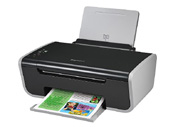
Pinter and Scanner Driver for Canon i-SENSYS MF211 download page. This page shows Pinter and Scanner Driver for Canon i-SENSYS MF211 information. Pinter and Scanner Driver for Canon i-SENSYS MF211 file include driver version 21.20 for Canon MF210 Series device. If you want to find another driver for Canon MF210 Series device click here. If you not found the necessary driver you can use site search. All download links are listed below on page. To start download file, click green «download» button on page below.
- Hardware IDs
- Canon MF210 Series
- Pinter and Scanner Driver for Canon i-SENSYS MF211
To start the download, select one of the servers and click "download"
|
|||
|
Version, Date:
|
21.20, 03.09.2014
|
||
|
Operation Systems:
|
Windows 8.1 x32, Windows 8 x32, Windows 7 x32, Windows Vista x32, Windows XP x32
|
||
|
|||
|
Description:
|
Driver Version: UFR II Printer Driver - v.21.20, ScanGear - v.11.3
Englisn and Russian versions. |
||
|
Notation:
|
Precaution When Using a USB Connection
Disconnect the USB cable that connects the device and computer before installing the driver. Connect the USB cable after installing the driver. |
||
|
Supported Devices:
|
|||
Hardware IDs: | info CanonMF210_Series9CA2 info CanonMF210_Series_FA2938 info CANON_MFNP info USBPRINT\CanonMF210_Series9CA2 info USBPRINT\CanonMF210_Series_FA2938 info USBPRINT\CanonMF210_Series_XPB815 info USB\VID_04A9 info WSDPRINT\CanonMF210_Series9CA2 info WSDPRINT\CanonMF210_Series_XPB815 info {2F6395D1-1F6D-4D6E-9935-CB21DE39E14A} info {9CA895E5-13D4-40CF-BA91-000761CA8CAB} | ||

 Go Back
Advertisement

Video Instructions
This brief videos will show you how to install a driver that does not contain a setup utility.
More...