Driver for Canon PIXMA MX360 printers Driver
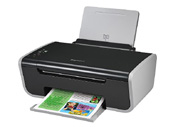
Driver for Canon PIXMA MX360 printers driver download page. This page shows Driver for Canon PIXMA MX360 printers driver information. Driver for Canon PIXMA MX360 printers file include driver version 1.01 for Canon MX360 series FAX device. If you want to find another driver for Canon MX360 series FAX device click here. If you not found the necessary driver you can use site search. All download links are listed below on page. To start download file, click green «download» button on page below.
- Hardware IDs
- Canon MX360 series FAX
- Driver for Canon PIXMA MX360 printers
To start the download, select one of the servers and click "download"
|
|||
|
Version, Date:
|
1.01, 23.10.2013
|
||
|
Operation Systems:
|
Windows 8 x64, Windows 8 x32, Windows 7 x64, Windows 7 x32, Windows Vista x64, Windows Vista x32, Windows XP x32
|
||
|
|||
|
Description:
|
This file is a driver for Canon IJ multifunction printers.
|
||
|
Notation:
|
Printer Driver:
1.With Internet Explorer 11, a web site containing Japanese may not be printed properly. In Windows Update, update the OS and Internet Explorer to the latest version. 2.If the printer driver is installed in Windows 8, and if Windows 8 is upgraded to Windows 8.1 while keeping the printer driver installed, Enable bidirectional support in the printer properties may be deselected, disabling detection of the ink level, etc. Re-install the printer driver after upgrading to Windows 8.1 and Enable bidirectional support is selected. Scanner Driver: 1.If the scanner driver is installed in Windows 8, and if Windows 8 is upgraded to Windows 8.1 while keeping the scanner driver installed, scanning from the product (by using the SCAN button) may not be available. Re-install the scanner driver after upgrading to Windows 8.1. |
||
|
Supported Devices:
|
|||
Hardware IDs: | |||

 Go Back
Advertisement

Video Instructions
This brief videos will show you how to install a driver that does not contain a setup utility.
More...