MP Driver for Canon PIXMA MG3140, MG3150, MG3155 printers / MFP
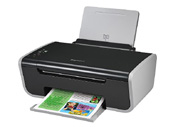
MP Driver for Canon PIXMA MG3140, MG3150, MG3155 printers / MFP download page. This page shows MP Driver for Canon PIXMA MG3140, MG3150, MG3155 printers / MFP information. MP Driver for Canon PIXMA MG3140, MG3150, MG3155 printers / MFP file include driver version 1.02 for Canon MG3100 series Printer device. If you want to find another driver for Canon MG3100 series Printer device click here. If you not found the necessary driver you can use site search. All download links are listed below on page. To start download file, click green «download» button on page below.
- Hardware IDs
- Canon MG3100 series Printer
- MP Driver for Canon PIXMA MG3140, MG3150, MG3155 printers / MFP
To start the download, select one of the servers and click "download"
|
|||
|
Version, Date:
|
1.02, 22.06.2015
|
||
|
Operation Systems:
|
Windows 10 x64, Windows 10 x32, Windows 8.1 x64, Windows 8.1 x32, Windows 8 x64, Windows 8 x32, Windows 7 x64, Windows 7 x32, Windows Vista x64, Windows Vista x32, Windows XP x32
|
||
|
|||
|
Description:
|
This file is a driver for Canon PIXMA MG3140, MG3150, and MG3155 multifunction printers.
IJ Network Tool is included in this MP Drivers. This driver will provide full printing and scanning functionality for your product. Multilangual version. |
||
|
Notation:
|
Printer Driver:
1. (Windows 10) Some of the settings (such as borderless printing) in the OS standard print settings screen are not valid. the settings in the Printer printing Preferences window are valid. Make settings in Printer printing Preferences when necessary. 2. (Windows 10) Layout printing from the OS standard print settings screen may not be performed as expected in Some instances. In such cases, open the Printer Printing Preferences window and change the paper size accordingly. 3. With Internet Explorer 11, a web site containing Japanese may not be printed properly. In Windows Update, update the OS and Internet Explorer to the latest version. Scanner Driver: 1. If the OS is upgraded with the scanner driver remained installed, scanning by pressing the SCAN button on the Printer may not be performed After the upgrade. in such cases, re-install the scanner driver. IJ LAN Driver and Tool: 1. In the environment where the Firewall software operates, as the printer detection using LAN communication is inhibited, the setup may not be competed. Preventive action: Disable the Firewall setting temporarily, or close the Firewall software, then, perform the setup. In each case, disconnect the network from the Internet first. 2. When using of IJ Network Tool under Windows Vista 64bit version, the following message may be displayed at the setup:New Port could not be created. Preventive action: Cancel the setup once, then retry the setup after restarting the computer. |
||
|
Supported Devices:
|
|||
Hardware IDs: | |||

 Go Back
Advertisement

Video Instructions
This brief videos will show you how to install a driver that does not contain a setup utility.
More...