nVidia Graphics Accelerator Driver
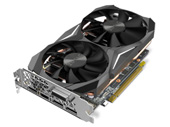
nVidia Graphics Accelerator Driver download page. This page shows nVidia Graphics Accelerator Driver information. nVidia Graphics Accelerator Driver file include driver version 296.39 for NVIDIA 3D Vision Pro Embedded Hub device. If you want to find another driver for NVIDIA 3D Vision Pro Embedded Hub device click here. If you not found the necessary driver you can use site search. All download links are listed below on page. To start download file, click green «download» button on page below.
- Hardware IDs
- NVIDIA 3D Vision Pro Embedded Hub
- nVidia Graphics Accelerator Driver
To start the download, select one of the servers and click "download"
|
|||
|
Version, Date:
|
296.39, 25.03.2012
|
||
|
Operation Systems:
|
Windows XP x64, Windows XP x32, Windows 2000
|
||
|
|||
|
Description:
|
List of files in the archive:
AGP support file for Aladdin TNT2. nVidia nView control panel. nVidia nView generic desktop profile. nVidia NVKeystone application. nVidia display driver. Windows 2000/XP display driver information file for nVidia. nVidia miniport driver. nVidia display properties extension. nVidia display properties extension help file. nVidia nView desktop and window manager. nVidia nView image library. nVidia installation/uninstallation support file. nVidia media center library. nVidia OpenGL driver. nVidia desktop explorer. nVidia Windows 2000/XP helper service. nVidia nView control panel. nVidia nView help file. nVidia nView wizard. The README.TXT file you're reading. Installation instructions: 1. These drivers must be installed by a user with Windows 2000/XP Administrator privileges. Please consult your system administrator or Microsoft Windows 2000/XP User's Manual for more information on Administrator privileges. 2. Start Microsoft Windows 2000/XP. 3. From the Start menu, select Settings. 4. Select Control Panel. 5. Select System. 6. Select Device Manager. 7. Under Display adapters, select the name of the nVidia adapter you haveinstalled. If you do not see a Display adapters option, or if your nVidia adapter is not listed, under Other Devices, select Video Controller (VGA Compatible). 8. Select the Driver tab. 9. Select Update Driver. 10. Select Next. 11. Select Next. 12. Verify that "Specify a location" has a check mark next to it. If it does not, click in the box next to "Specify a location" to place a check mark in the box. Select Next. 13. Enter the path to the nVidia drivers in the "Copy manufacturer's files from:" dialog. Select OK. 14. If you get a dialog box that states "A suitable driver for this device is already installed.", click in the box next to "Install one of the other drivers" to place a check mark in the box, then select Next. Otherwise, select Next, then proceed to step 16. 15. Select the following driver from the list. nVidia RIVA TNT is used an example; make sure to select your NVIDIA adapter from the list. 16. Select Finish. 17. Select Close. 18. Windows 2000/XP will ask if you wish to restart the computer. Select Yes. |
||
|
Supported Devices:
|
info NVIDIA 3D Vision Pro Embedded Hub
info NVIDIA 3D Vision Pro Hub info NVIDIA GeForce 205 info NVIDIA GeForce 210 info NVIDIA GeForce 405 info NVIDIA GeForce 6100 info NVIDIA GeForce 6100 nForce 400 info NVIDIA GeForce 6100 nForce 405 info NVIDIA GeForce 6100 nForce 420 info NVIDIA GeForce 6150 info NVIDIA GeForce 6150 LE info NVIDIA GeForce 6150SE nForce 430 info NVIDIA GeForce 6200 info NVIDIA GeForce 6200 A-LE info NVIDIA GeForce 6200 LE more |
||
Hardware IDs: | info DISPLAY\nvMultiView info HDAUDIO\FUNC_01 info HDAUDIO\FUNC_01 info HDAUDIO\FUNC_01 info HDAUDIO\FUNC_01 info HDAUDIO\FUNC_01 info HDAUDIO\FUNC_01 info HDAUDIO\FUNC_01 info HDAUDIO\FUNC_01 info HDAUDIO\FUNC_01 info HDAUDIO\FUNC_01 info HDAUDIO\FUNC_01 info HDAUDIO\FUNC_01 info HDAUDIO\FUNC_01 info HDAUDIO\FUNC_01 info HDAUDIO\FUNC_01 info HDAUDIO\FUNC_01 info HDAUDIO\FUNC_01 info HDAUDIO\FUNC_01 info HDAUDIO\FUNC_01 info HDAUDIO\FUNC_01 info HDAUDIO\FUNC_01 info HDAUDIO\FUNC_01 info HDAUDIO\FUNC_01 info HDAUDIO\FUNC_01 more | ||

 Go Back
Advertisement

Video Instructions
This brief videos will show you how to install a driver that does not contain a setup utility.
More...